

















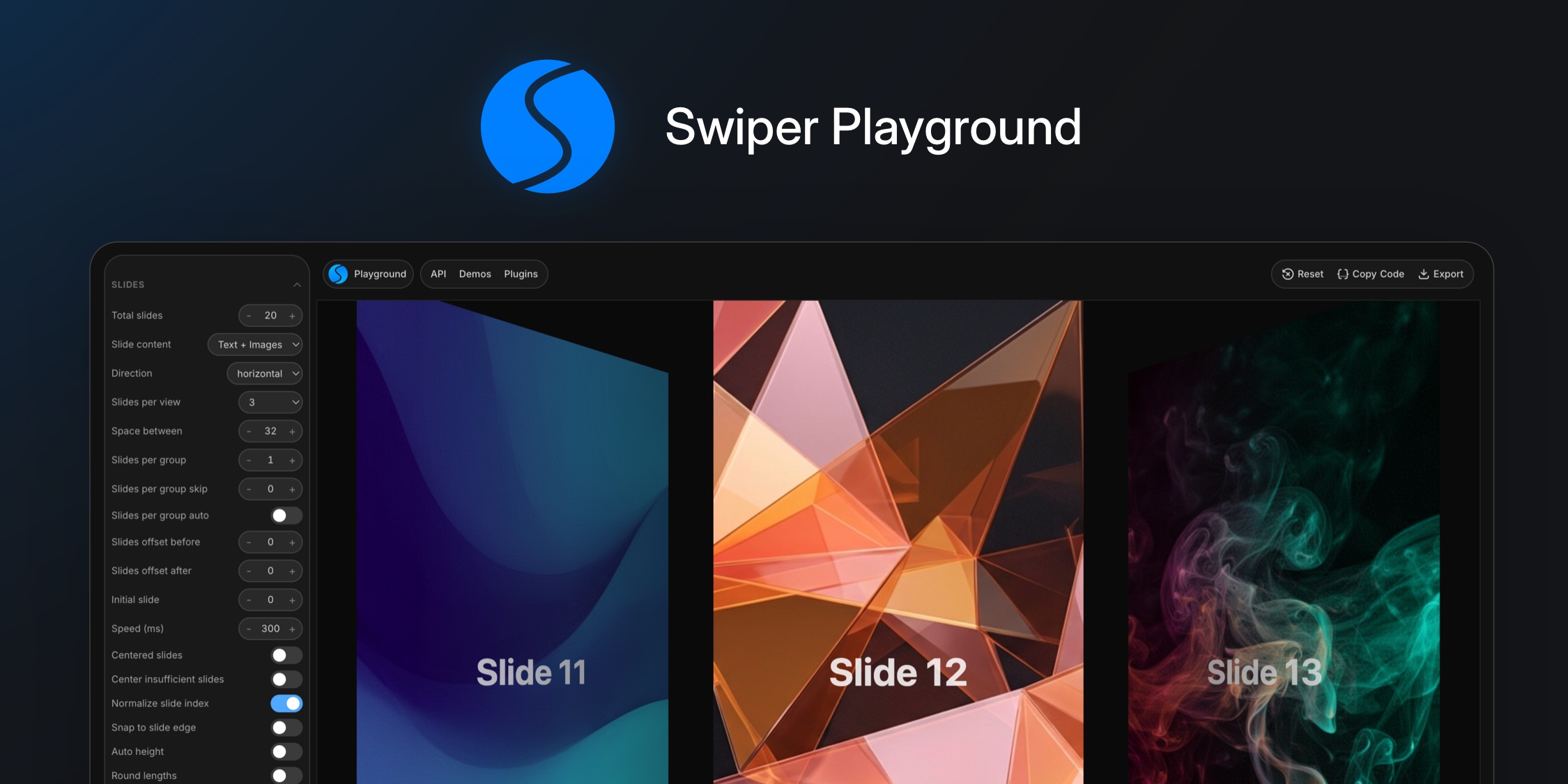
We're excited to introduce Swiper Playground - a free, interactive visual builder that lets you configure, preview, and generate Swiper code in real time, right in your browser. No setup, no installs, just open and play.
What is Swiper Playground?
Swiper Playground is a browser-based tool where you can tweak over 80 Swiper parameters across 11 configuration sections - and see the result instantly in a live preview.
Whether you're exploring Swiper for the first time or prototyping a complex carousel layout, the Playground gives you a fast, visual way to experiment without writing a single line of code.
What Can You Configure?
The sidebar gives you full control over every major Swiper feature:
- Slides - total slides, slides per view, spacing, direction, grid layout, centering, loop/rewind modes, and more.
- Effects - choose from 6 built-in effects: Slide, Fade, Cube, Coverflow, Flip, and Cards - each with its own fine-tuning parameters.
- Touch & Interaction - grab cursor, swipe thresholds, touch angles, resistance, edge detection, and more.
- Free Mode - momentum scrolling with configurable inertia, velocity, and bounce behavior.
- Navigation - enable prev/next arrows with auto-hide on click.
- Pagination - bullets, fraction, or progressbar with clickable and dynamic options.
- Scrollbar - draggable scrollbar with snap-on-release.
- Autoplay - configurable delay, pause on hover, reverse direction, stop on last slide.
- Keyboard & Mousewheel - keyboard arrow navigation and mouse wheel scrolling support.
- Advanced - CSS mode, nested swipers, passive listeners, virtual slide preloading, and other low-level settings.
Parameters are organized into collapsible sections, and sub-parameters appear contextually - you only see what's relevant to your current configuration.
Live Preview & Code Export
Every change you make updates the live preview iframe instantly. When you're happy with the result:
- Copy Code - generates clean JavaScript initialization code and copies it to your clipboard, ready to paste into your project.
- Shareable URLs - your configuration is encoded into the URL hash, so you can share any setup by simply sharing the link.
- Reset - one click returns everything to defaults.
Want More? Try Swiper Studio
The Playground is great for quick prototyping and learning the API, but if you need advanced capabilities, we recommend Swiper Studio - the full visual no-code builder for Swiper.
Swiper Studio is a full-featured visual builder that goes far beyond parameter tweaking:
- Premium effects - Panorama, Carousel, Shutters, Slicer, GL, Tinder, Material, Cards Stack, Expo, Super Flow, and more.
- Content & styles editor - design slide content, typography, colors, and layouts visually without touching code.
- Element animations - add unique per-element animations and transitions to bring your slides to life.
- Video support - embed and manage video content directly within your slides.
- Advanced export - export to HTML, React, Vue, Next.js, Web Component, or JSON.
- Download & publish - export as images, PDF, or publish directly to CDN.
- Integrations - native Webflow and Shopify integrations.
- MCP Server - let AI agents build sliders for you. Connect Swiper Studio's MCP server to your favorite AI assistant and generate production-ready sliders from prompts and images.
- Project management - save, sync, and share your projects with share links.
Whether you need pixel-perfect design control or want to generate sliders with AI - Swiper Studio has you covered.
Try It Now
Head over to the Swiper Playground and start building. We'd love to hear your feedback!
And as always, if you love Swiper, please, support the project:
- Sponsor Swiper - get your logo and link featured on the website
- GitHub Sponsors - support the developer directly
And checking our premium projects:
Your support means a lot for us!